
Audience consideration for this tutorial: Someone who wants to test the code on local Kubernetes cluster and has Apple Mac devices with Apple Silicon.
Prerequisite:
- Apple Mac machine 💻 / 🖥️
- Parallels Desktop (non-pro version will also work)
- Some free storage on your SSD
Steps 🛠️:
- Create a Linux VM
- Install prerequisites in the Linux VM
- Install Kubernetes (Let’s call it k8s henceforth) and related applications for the k8s deployment.
- Cluster creation
Step 1:
- Download the rocky linux (a clone of RHEL). Here is the download link of rocky 9 for arm64 architecture (i.e. for Apple Silicon).
- Create a linux VM by following this guide: Install Linux virtual machine on a Mac with Apple M-Series chip .
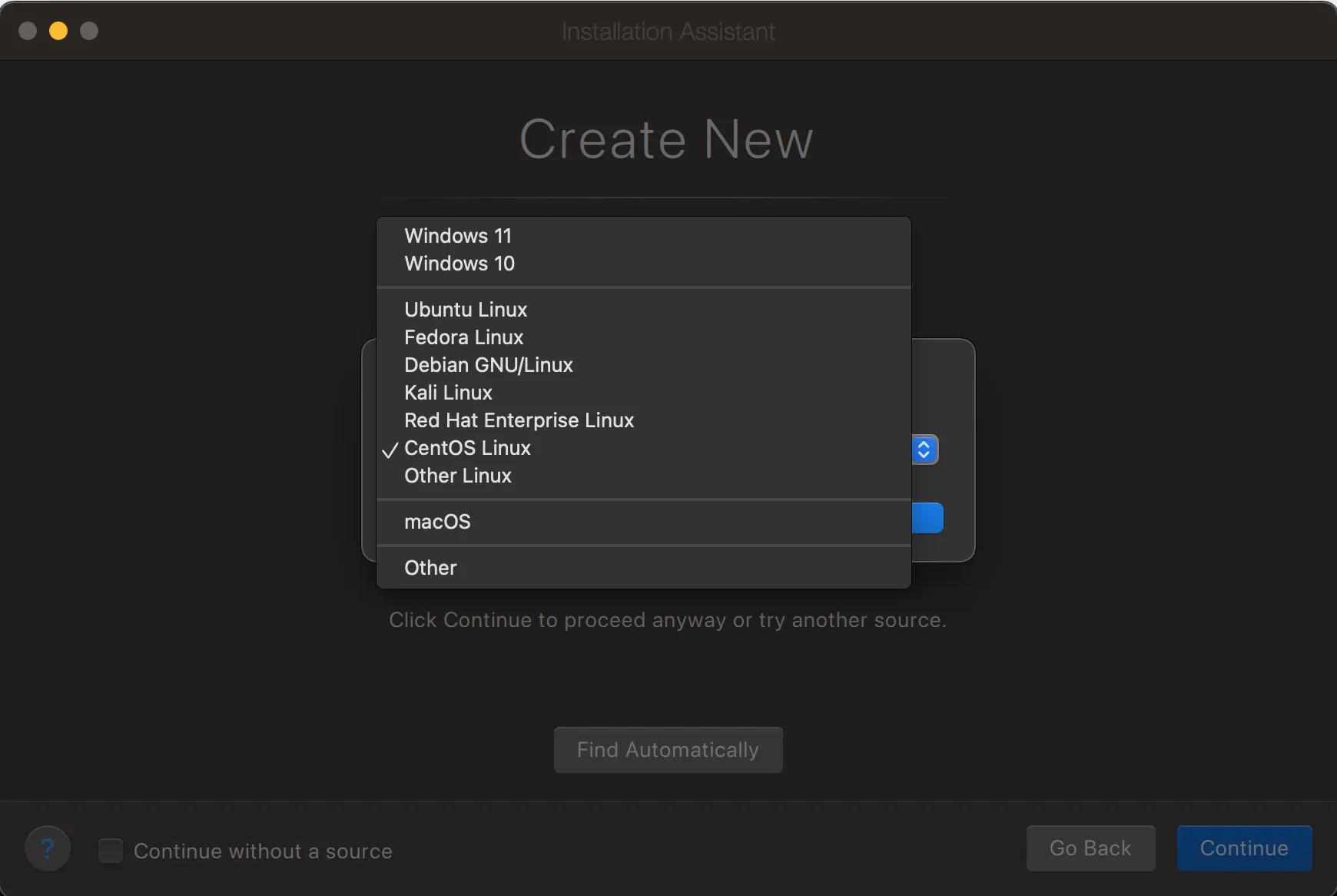
- While installing, please select OS type as Red Hat Enterprise Linux / CentOS Linux.
Like this:
- Proceed with further process of the OS installation.
Step 2:
- Start the vm and then install prerequisites with below commands
sudo dnf install openssh-serverip address # note down the ip address- PS: Please use the host IP address noted from above command to ssh the vm. It will be easy to just copy and paste commands from below section.
Step 3:
- Install required libraries 👇 , GitHub link 🔗 for commands : k8s-kind-podman-installation-command.sh
sudo dnf check-update -ysudo dnf update -ysudo dnf update --security -ysudo dnf groupinstall 'Development Tools' -ysudo dnf install nanodnf install go -y
# this will install podman, we are using podman instead of dockerdnf install podman -y
#this will install kubernetescurl -LO "https://dl.k8s.io/release/$(curl -L -s https://dl.k8s.io/release/stable.txt)/bin/linux/arm64/kubectl"curl -LO "https://dl.k8s.io/release/$(curl -L -s https://dl.k8s.io/release/stable.txt)/bin/linux/arm64/kubectl.sha256"echo "$(cat kubectl.sha256) kubectl" | sha256sum --checksudo install -o root -g root -m 0755 kubectl /usr/local/bin/kubectlkubectl version --clientdnf install bash-completion -ysource /usr/share/bash-completion/bash_completionecho 'source <(kubectl completion bash)' >>~/.bashrcsource ~/.bashrc
#this will install kind, this is better alternative to minikube[ $(uname -m) = aarch64 ] && curl -Lo ./kind https://kind.sigs.k8s.io/dl/v0.22.0/kind-linux-arm64chmod +x ./kindsudo mv ./kind /usr/local/bin/kindkind # to check the installation
#install related applicationscurl -fsSL -o get_helm.sh https://raw.githubusercontent.com/helm/helm/main/scripts/get-helm-3chmod 700 get_helm.sh./get_helm.shhelm repo add kubernetes-dashboard https://kubernetes.github.io/dashboard/#install kompose to convert docker-compose.yml to k8s manifest yml filescurl -L https://github.com/kubernetes/kompose/releases/download/v1.26.0/kompose-linux-arm64 -o komposechmod +x komposesudo mv ./kompose /usr/local/bin/komposeStep 4:
- Create cluster through kind
kind create cluster # default cluster is name is kindkubectl cluster-info # check k8s cluster info#orkubectl cluster-info --context kind-kindpodman ps # check podman statusNow you can use this cluster as any other normal testing k8s cluster. 😀😀